Best smart locks with local control
Smart lock picks judged on local behavior and Home Assistant reality, sorted by radio: Z-Wave (including the locks that add Bluetooth walk-up unlock), Matter over Thread, Zigbee, and the Wi-Fi locks that only look local.
On this page
- How I judge smart locks
- Local means the radio, not the badge
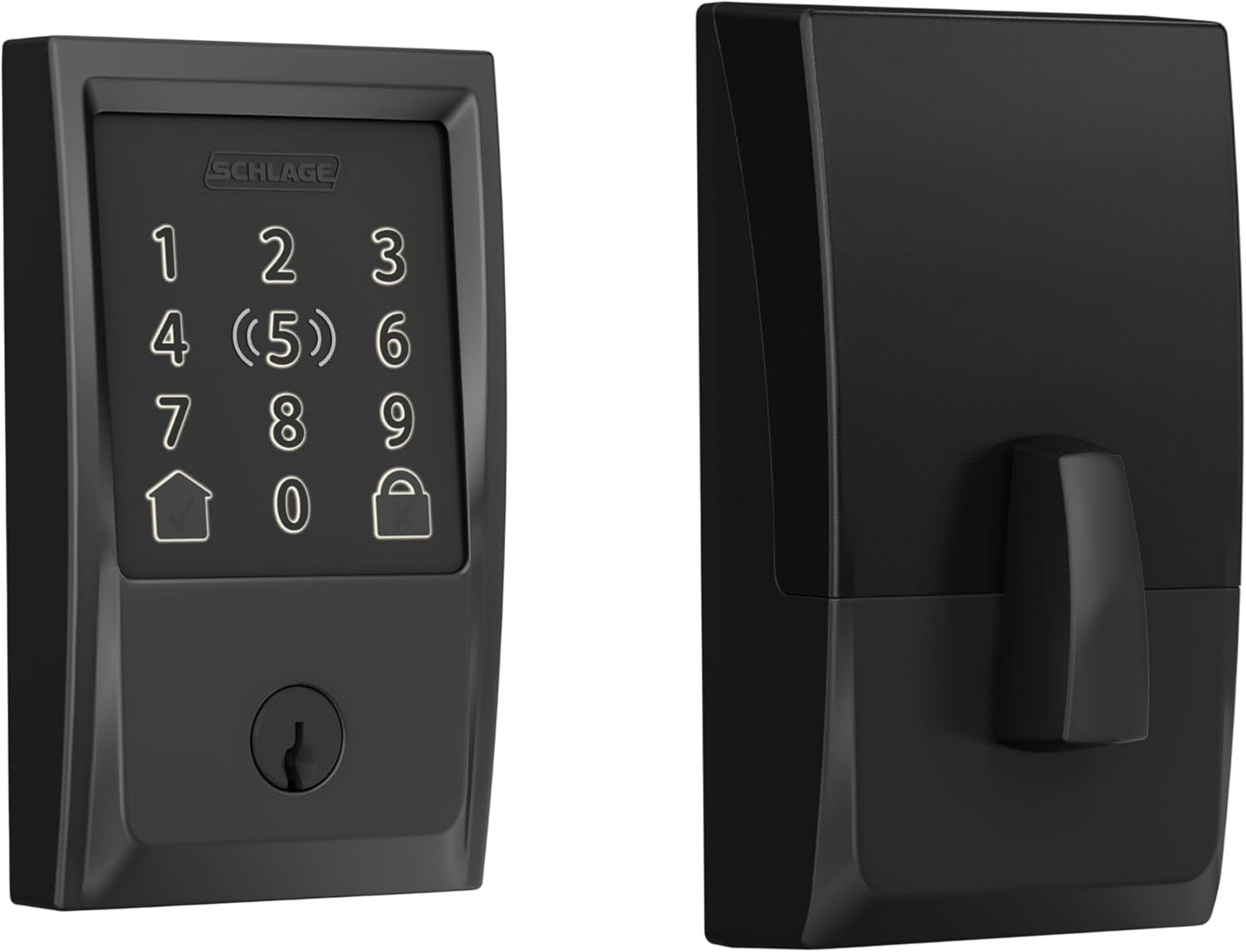
- Best overall for most buyers: Schlage Encode Plus
- Best Z-Wave picks: Yale Assure Lock 2 and Kwikset SmartCode
- Z-Wave locks with Bluetooth control
- Matter-over-Thread picks
- Best Apple-heavy practical pick: Aqara Smart Lock U100
- The cloud-dependent tradeoffs (read this section)
- What about Hubitat?
- Which lock I would choose for different priorities
- What to avoid
- Before you buy a smart lock
Smart locks are where smart-home convenience crashes directly into security, household trust, and daily annoyance tolerance. If a light switch is flaky, you get irritated. If a lock is flaky, you get angry. A lock that depends on a vendor cloud can fail to respond exactly when you need it, and it leaks access data to servers you don’t control. This page covers the locks I’d shortlist, and it is blunt about how each one communicates, because “smart lock” covers everything from fully local Matter to cloud-only Wi-Fi.
For a normal household that wants one lock everyone can use, start with the Schlage Encode Plus, knowing its local path runs through Apple Home, not Home Assistant. For real local control from Home Assistant, buy by radio: a Z-Wave lock (the Yale Assure Lock 2 with its Z-Wave module, or a Kwikset SmartCode 914) or a Matter-over-Thread lock (the Nuki line, the Aqara U200, a current Level, or Kwikset’s Halo Select). Apple-heavy home: Aqara U100. Hidden hardware: Level Bolt.
By household, it shakes out like this. The mainstream pick is the Schlage Encode Plus, with local control running through Apple Home rather than Home Assistant. The fully local deadbolt for Home Assistant over Matter over Thread is the Nuki line, matched to your door; in the US that means the Smart Lock (Deadbolt), not the Pro or Ultra. On Z-Wave, the Yale Assure Lock 2 with the Z-Wave Plus module, or a Kwikset SmartCode 914. For Apple Home with Home Key and decent local-first upside, the Aqara Smart Lock U100. To keep existing exterior hardware, the Level Bolt.
An Apple-heavy family that wants the least weird learning curve should take the Schlage Encode Plus or the Aqara U100. A Home Assistant tinkerer’s family, choosing carefully, does well with the Yale Assure Lock 2. A design-first buyer who hates bulky lock hardware wants the Level Bolt. And a strict local-control purist should know this category still involves more compromise than smart plugs, relays, or sensors, so read the by-radio sections below before anything else.
If you are still sorting out the bigger architecture first, read what local-first means and Home Assistant vs Hubitat before you buy the thing that controls your front door.
Smart locks are still one of the categories where “works with local platforms” and “is local-first in spirit” are not always the same thing.
How I judge smart locks
A good smart lock keeps feeling sane after months of real use, not the one with the flashiest app.
I care about:
- Reliable local behavior and sane fallback access
- Whether the lock still works well for non-enthusiasts in the household
- Home Assistant reality, not marketing optimism
- Battery life, radios, and bridge requirements
- How much ecosystem lock-in comes with the convenience
A lot of smart-home gear can be “pretty good” and still be fine. Locks do not get that luxury. The important questions are boring:
- Can everyone in the house open the door without learning your hobby?
- Is there a keypad, key override, or sane fallback when batteries die?
- Does remote control depend on a vendor cloud even if normal local use does not?
- Will this lock still be a good lock if the smart parts annoy you?
A lock that looks great in a compatibility chart but creates household friction is not a good recommendation.
Local means the radio, not the badge
A deadbolt is a security boundary. For a local-first setup you want the lock state and lock/unlock commands to travel over your own network. Beyond reliability, local control gives you faster response times and automations that keep running when your internet is down; a lock that has to call home every time creates latency and a single point of failure. In practice the locks worth considering use one of three approaches:
- Matter over Thread - pairs to a Thread border router and Home Assistant’s Matter integration. Local and instant. This is the best current option. How “local” it feels depends on your Matter controller, and Home Assistant’s controller is local, which is what you want.
- Z-Wave / Zigbee - pairs to a local controller (a Z-Wave stick with Z-Wave JS, or a Zigbee coordinator). Long-standing, fully local.
- Bluetooth (Yale Access) - local over BLE for some August/Yale models, but range-limited and often paired with a cloud bridge for anything remote.
Wi-Fi locks are almost always cloud-controlled from Home Assistant’s perspective, even though they sit on your LAN, because the vendor only exposes a cloud API. An HA integration existing doesn’t mean it’s local: if the integration requires logging into the vendor’s account, assume commands travel through their cloud and will fail during an outage.
Best overall for most buyers: Schlage Encode Plus
The Schlage Encode Plus is the easiest recommendation on this page because it does the boring important things well. I haven’t run one; the pick rests on the hardware’s reputation and on what Home Assistant users report about its integrations.
Why it stands out:
- strong mainstream usability
- good hardware (BHMA-rated, slim)
- practical Apple Home support including Home Key over NFC
- more trustworthy household fit than many “smart” lock experiments
Why I still hesitate a little:
- it runs on Wi-Fi plus Thread, and it is not a Matter device: its Thread radio is used to join Apple Home (over HomeKit-on-Thread with a HomePod or a Thread-capable Apple TV 4K as the border router), not Matter, so there is no native Home Assistant Matter path
- full experience depends on which ecosystem is driving your home
- it’s better as a strong lock with smart features than as a pure local-first hacker favorite
Your options with Home Assistant are therefore: the official Schlage cloud integration (works, but routes through Schlage’s servers and drains the battery noticeably), or Home Assistant’s own HomeKit Device integration, pairing the lock directly rather than through Apple Home - and that second route costs you something people miss. A HomeKit accessory can only be paired to one controller at a time, so before Home Assistant can pair the lock you have to delete it from Apple Home, and deleting it from Apple Home takes Apple home key with it. You get local control or you get home key, not both. If home key is the reason you bought the lock, the realistic middle ground is to leave it paired to Apple Home and drive Home Assistant from the other side, with Apple Home automations or Shortcuts calling a Home Assistant webhook. Do not treat the Encode Plus as a “works entirely offline” Z-Wave-style lock. It isn’t one, and it won’t keep automating from Home Assistant when your internet is down.
Who should buy it:
- families that want one lock everyone can understand
- Apple households that want Home Key without buying something sketchy
- buyers who care as much about the lock company as the smart-home features
Who should not:
- buyers who want the most Home Assistant-native path possible
- people trying to minimize ecosystem dependence to the absolute minimum
One newer option worth knowing about before you commit: Schlage now also sells the Sense Pro, which launched in June 2026 at $399. It is Schlage’s first Matter-over-Thread lock, so unlike the Encode Plus it can join Home Assistant directly over Matter with no cloud account and no HomeKit bridge in the middle, and it adds ultra-wideband hands-free unlocking on top of Apple Home Key. If a native local Matter path is worth more to you than the price difference, it is the better local-first buy. The Encode Plus is not going anywhere - it is still sold, from $329, and it is still the cheaper way to get Home Key.
Best Z-Wave picks: Yale Assure Lock 2 and Kwikset SmartCode
For pure local control in Home Assistant, Z-Wave remains the proven path. These locks communicate directly with your Z-Wave radio, no cloud required, and expose lock/unlock plus PIN-code management to Home Assistant. Z-Wave locks have been doing this reliably for years, and PIN management via the Keymaster custom integration is mature. The tradeoff is you’re committing to the Z-Wave ecosystem and a controller: on Home Assistant that means Z-Wave JS plus a Z-Wave stick such as a Zooz ZST39, an Aeotec Z-Stick, or the Home Assistant Connect ZWA-2 (see how to pick a Z-Wave controller). Skip the Aeotec Smart Home Hub here despite the name: it is a rebadged SmartThings hub driven by the SmartThings app, not a Home Assistant Z-Wave adapter. For models that also keep a fast Bluetooth path for phone proximity unlock, see the Z-Wave locks with Bluetooth control section below; if you hand out guest codes for a rental, the Z-Wave locks for Airbnb hosts roundup is the one to read.
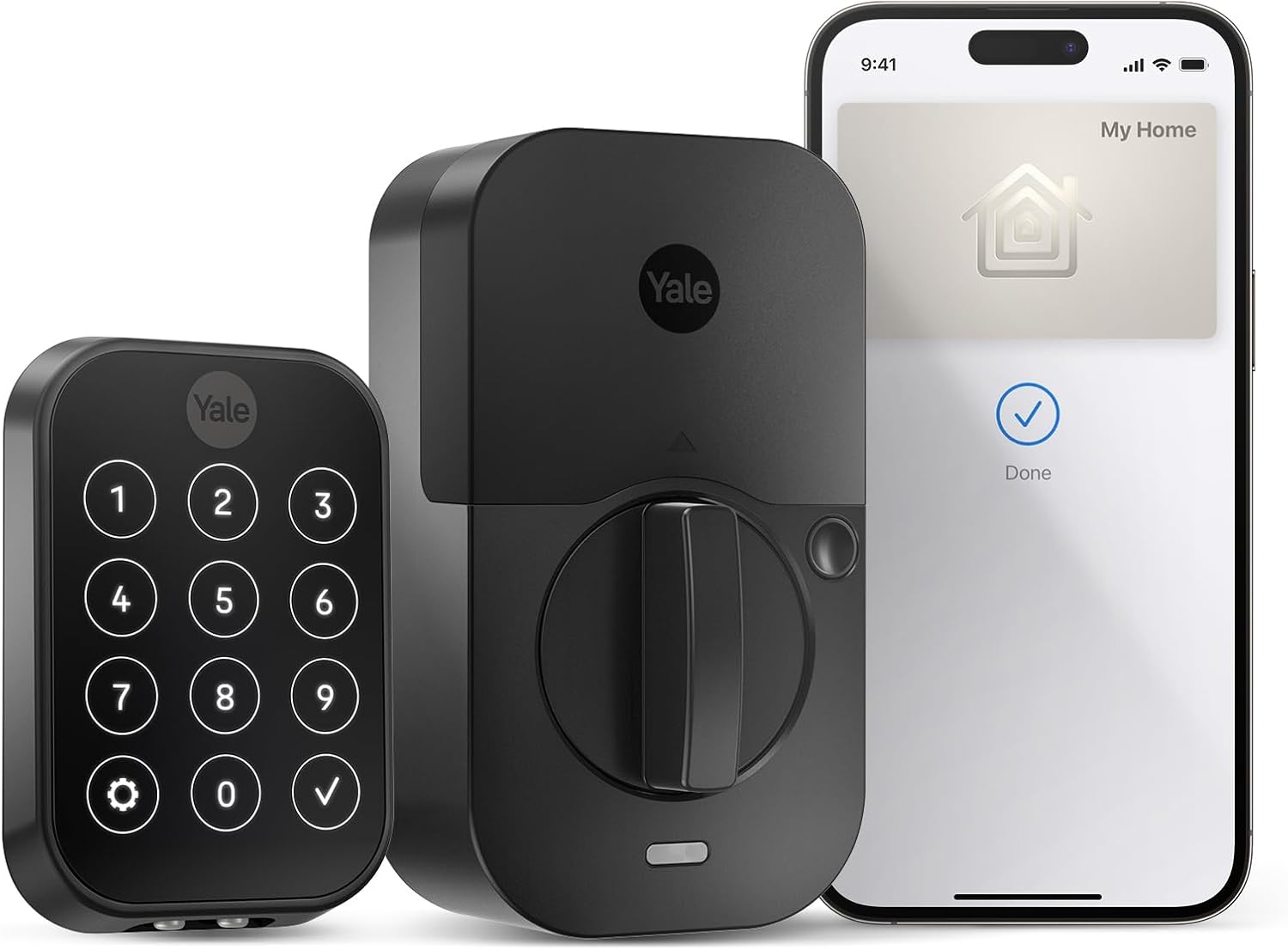
Yale Assure Lock 2
Yale is interesting because it often lands in the middle of the venn diagram between mainstream lock brand, ecosystem flexibility, and enthusiast experimentation. I haven’t run one; what follows is the fine print, which is where the Yale decision gets made.
Why it makes sense:
- broad ecosystem conversations around modules, Matter, and integrations
- easier to justify for buyers who expect to evolve their setup over time
- better candidate for bridge-heavy Home Assistant households than some prettier but narrower options
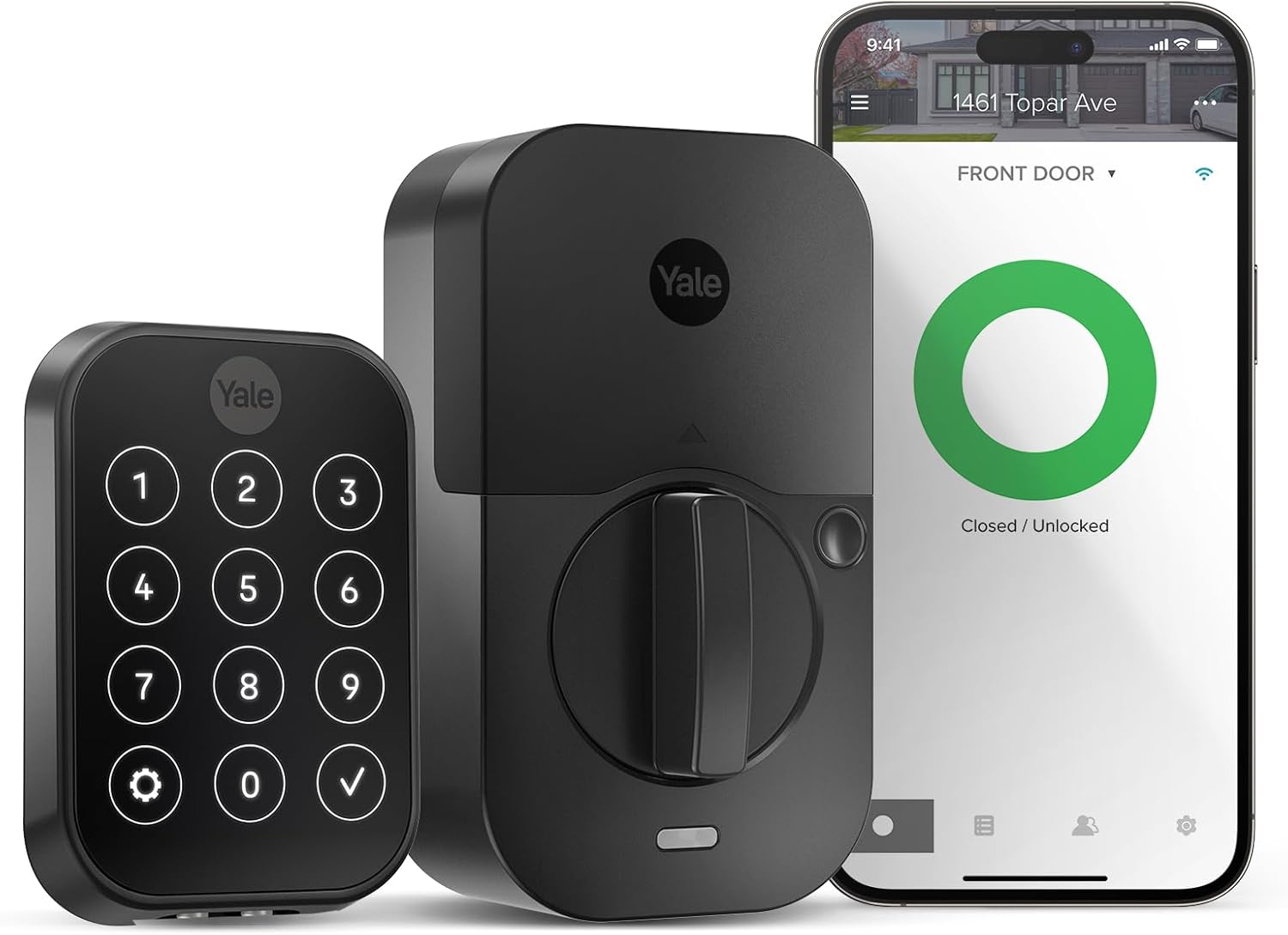
The Yale Assure Lock 2 is the Z-Wave pick here because Yale sells swappable radio modules for it: fit the Z-Wave Plus module and it integrates cleanly with Home Assistant via Z-Wave JS, fully offline. Yale offers separate Wi-Fi, Zigbee and Matter-over-Thread modules for the same lock, so you are not locked into one ecosystem. Buy by model name, because the names do not mean what they look like: the Yale Assure Lock 2 Plus (YRD450-N) builds in Bluetooth and Apple Home Key instead and does not accept the swappable modules - Yale’s own Z-Wave Plus Smart Module lists the Assure Lock 2 (YRD410/420/430/450) as compatible, not the Plus. The Plus is still a local option, just over Bluetooth through the Yale Access integration (yalexs_ble) rather than Z-Wave. The fingerprint reader belongs to a third model, the Assure Lock 2 Touch. If swappable radios are the reason you are buying Yale, buy the non-Plus. Tradeoffs: they are a touch bulky, and Z-Wave S2 pairing takes a little care to get right.
Who should buy it:
- buyers who are comfortable reading the fine print before ordering
- Home Assistant households that do not mind a more systems-oriented lock decision
- people who want room to evolve their ecosystem later
Who should not:
- buyers who want the simplest possible one-box decision
- anyone who gets annoyed by lock model confusion and module nuance
Kwikset: SmartCode 914 and 916, and the Halo trap
For Kwikset, the names trip people up, so be precise. The Kwikset Halo Touch (fingerprint) and Halo (keypad) are Wi-Fi-only, cloud-dependent locks - there is no Z-Wave Halo Touch. Don’t buy a Halo expecting local Z-Wave. The Kwikset locks that speak Z-Wave are the older SmartCode 914 and SmartCode 916 deadbolts, sold in a Z-Wave Plus variant (the 916 also came in Zigbee, and that Zigbee model is the one Kwikset still sells under the 916 name). Those pair to Z-Wave JS for local control with S2 security and PIN-code management - no cloud. They’re keypad locks without a fingerprint reader and the displays are basic. Kwikset has discontinued both styles of the 916 in Z-Wave, so the 914 is the one still listed as current - buy that one new and treat a 916 Z-Wave as existing-owner or leftover-stock territory. On the local-control front they do the job.
One newer Halo does have a local path, and the name is the only thing separating it from the two above: the Halo Select, joined in autumn 2025 by the Halo Select Plus, pairs built-in Wi-Fi with Matter over Thread and needs no hub, per Kwikset’s own listings. Kwikset does not name Home Assistant among its integrations, but a Matter-over-Thread lock joins Home Assistant’s Matter integration through your own Thread border router like any other, which makes the Select the Kwikset to look at if you want something local that is not a Z-Wave keypad deadbolt.
The Schlage Connect BE469ZP is another Z-Wave deadbolt option if you already run a Z-Wave network.
Z-Wave locks with Bluetooth control
Several Z-Wave locks also carry a built-in Bluetooth radio, which the manufacturer’s app uses for close-range features like auto-unlock as you walk up and for an “offline key” so the phone app still works if the hub is unreachable. Set expectations, because the marketing around this is muddy. Bluetooth on a lock is short-range and local. It is not a way to unlock your door from across town - that always requires a hub or cloud bridge. So the realistic value of Bluetooth here is convenience at the door and a fallback when your Z-Wave hub is temporarily down. The serious integration - automations, occupancy-based locking, per-user codes - runs over Z-Wave into Home Assistant.
The Yale Assure Lock 2 with the Z-Wave Plus module is the best balance of the two: it pairs over Z-Wave JS with S2 security and exposes full PIN-code management in Home Assistant, while the Yale Access app uses Bluetooth for auto-unlock and offline operation. In practice you run both at once, Z-Wave for automations and codes, Bluetooth for walk-up convenience. The Kwikset SmartCode 914 is the budget end and a pure Z-Wave lock with no built-in Bluetooth app; it integrates cleanly over Z-Wave JS including code management, and Kwikset’s SmartKey re-keying is handy for renters and quick lock swaps.
Want biometrics too? The Ultraloq U-Bolt Pro (Z-Wave) combines Z-Wave with Bluetooth and adds a fingerprint reader and keypad: the Z-Wave version integrates with Home Assistant for lock control and codes, while the U-home app uses Bluetooth for fingerprint and auto-unlock at the door. Make sure you buy the Z-Wave SKU specifically - Ultraloq also sells Wi-Fi and Bluetooth-only versions that won’t give you native Z-Wave in Home Assistant. One caveat before ordering: U-tec no longer lists the U-Bolt Pro Z-Wave on its own storefront, so treat it as remaining-stock only. The in-production Z-Wave lock in the Ultraloq lineup is now the Bolt Z-Wave (Z-Wave Plus V2 on an 800-series chip, with Long Range), but it is a keypad-and-key deadbolt with no fingerprint reader - so it is not a drop-in swap if biometrics are why you are reading this section. I haven’t run the Ultraloq; the pick rests on the spec sheet and other owners’ write-ups.
Whichever you pick, confirm it’s the Z-Wave model, pair it with S2 (using the lock’s QR/PIN) so the link is encrypted, and let Z-Wave, not Bluetooth, carry your automations. Locks are battery-powered Z-Wave devices, so keep a mains-powered Z-Wave node within range to relay, and watch battery levels in Home Assistant. Then take a controller backup, per how to back up and restore a Z-Wave network, so a failed stick does not mean re-pairing every lock.
Matter-over-Thread picks
Thread-based locks are increasingly the forward-looking pick, but the reality is nuanced. They require a Thread border router (Home Assistant Connect ZBT-2, a HomePod mini, etc. - the older Connect ZBT-1 and Home Assistant Yellow are both discontinued, so new buyers want the ZBT-2). Thread/Matter lock support is still maturing, so accept some rough edges.
Nuki (Ultra / Pro / Go / Deadbolt)
The Nuki line speaks Matter over Thread - not Z-Wave, and not “local via the Nuki Bridge over MQTT.” Nuki joined Works with Home Assistant in 2025, and the Ultra, Pro, and Go all pair to HA through a Thread border router and the Matter integration, with everything happening locally once joined. Nuki has stated it will keep Matter on Thread rather than Wi-Fi for battery reasons. One fit catch: the Nuki Smart Lock Ultra replaces a European profile or round cylinder, so it is not a drop-in for a US single-cylinder deadbolt. For a standard US deadbolt, the model to buy is the Nuki Smart Lock (Deadbolt), which mounts over your existing thumb-turn (the Pro and Go likewise mount over a thumb-turn on euro-style doors). Every Nuki variant reaches Home Assistant locally over Matter the same way, so pick the one that fits your door. I haven’t run a Nuki; the pick is based on Nuki’s own Matter documentation and the Works with Home Assistant listing.
Aqara Smart Lock U200
The Aqara Smart Lock U200 is one of the better Thread-based locks for Home Assistant right now. It’s Matter-over-Thread, so it can join Home Assistant’s Matter integration directly (no Aqara hub strictly required), and it also supports Apple Home Key. Owners who have written it up describe the fingerprint reader as fast and battery life as reasonable on the rechargeable pack; I haven’t run one. The catch: some users report occasional pairing hiccups.
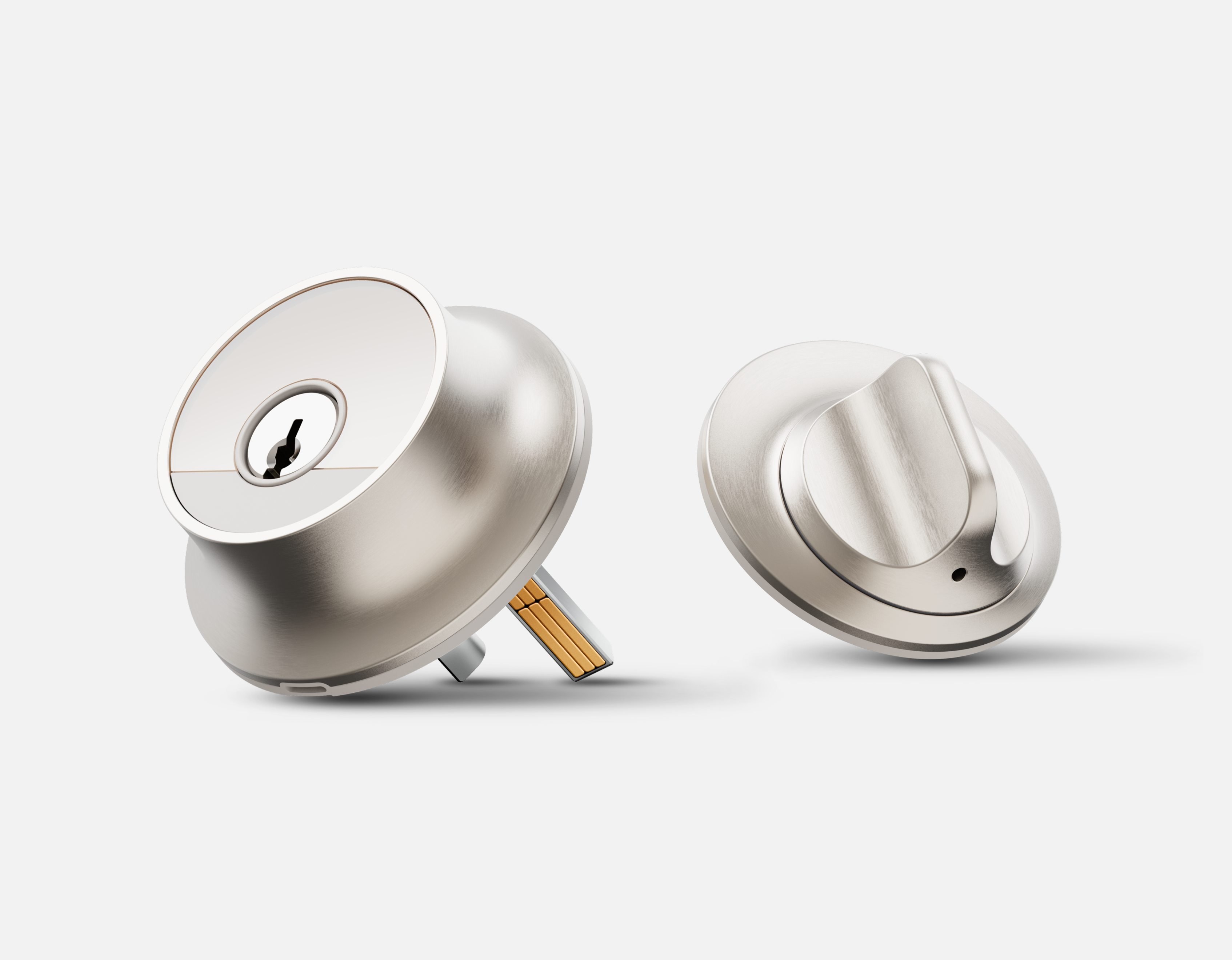
Level Bolt, Level Lock and Level Lock Pro
Level’s retrofit locks are the aesthetic answer, for people who hate the chunky obvious-smart-lock look and are willing to pay for subtlety. The hardware hides almost entirely inside the door.
Check the name before you order, because Level has changed its lineup. Level’s own store no longer lists anything called Level Lock+ (or Level Lock Plus); what it sells now is the Level Bolt at $199, the Level Lock at $249, and the Level Lock Pro at $349. If what you want is to keep your existing exterior door hardware and keys exactly as they are, the Bolt is the one that does that - it hides inside the door and leaves your current deadbolt hardware in place. The Level Lock line replaces the deadbolt, but with one that reads as an ordinary deadbolt from the street.
Current Level locks ship with Matter over Thread as standard. That is a real local path, because a Matter lock joins Home Assistant directly through any Thread border router with no Level account in the loop. Existing Level Lock+ owners can get the same Matter-over-Thread capability through a free firmware update, but the older Level Lock+ “Previous Model” units still sold on Amazon are Bluetooth and HomeKit and predate Matter, so those reach Home Assistant indirectly through Apple Home; check the variant before buying secondhand.
Why it’s appealing:
- keeps more of a normal-door look
- Matter over Thread on current models means a direct local path to Home Assistant
- Apple Home support helps the day-to-day experience
- good fit when design matters as much as automation
Why I hesitate:
- less obvious value if you don’t deeply care about the hidden form factor
- retrofit cleverness can come with practical tradeoffs
- battery life tends to be shorter than a bulkier lock’s
- not my first pick for buyers who want the cleanest Home Assistant path
Who should buy it:
- people who care a lot about exterior door appearance
- homeowners who want smarter access without the obvious gadget look
- Apple-oriented households where aesthetics are part of the buying criteria
Who should not:
- buyers chasing best-value functionality
- tinkerers who mainly care about integration quality per dollar
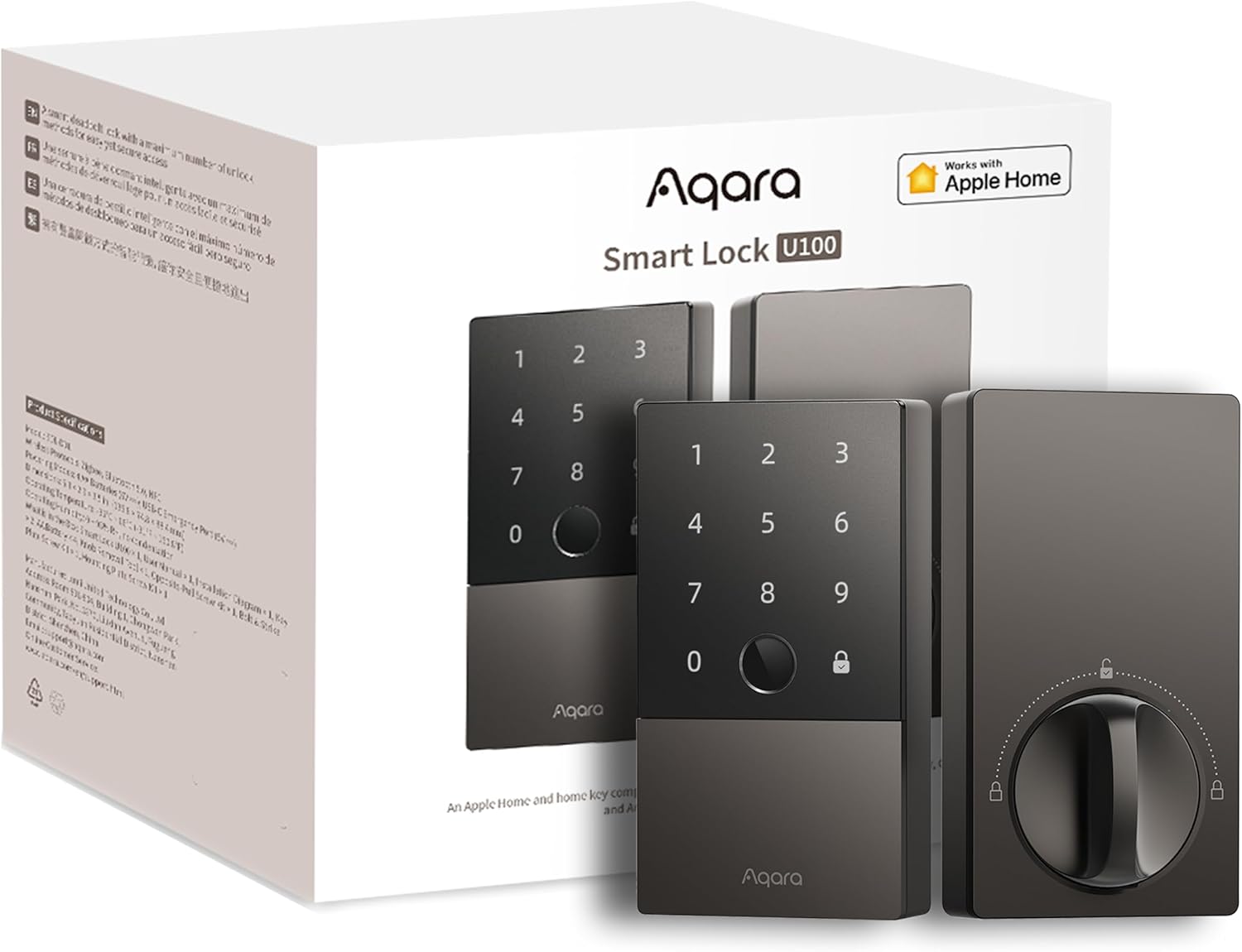
Best Apple-heavy practical pick: Aqara Smart Lock U100
The Aqara U100 makes the most sense for buyers who want Apple Home Key convenience without giving up every local-first instinct. I haven’t run it; here is where it fits and what the radio commits you to.
What it offers:
- strong Apple Home story
- practical everyday unlock options
- better smart-home polish than many enthusiast-first lock setups
Know what radio you are buying, because the model numbers matter more than the marketing. Aqara’s US lock page now lists six locks under one family name and they do not share a radio. The U50 (Bluetooth 5.0, Zigbee 3.0 and NFC) and the U100 (Zigbee) are the Zigbee pair: Aqara’s own spec sheets say a Matter-capable Aqara hub is required for Matter on both, so Home Assistant reaches either one through that hub’s Matter bridge rather than directly. Neither is a Thread lock, whatever some Amazon listing titles claim. The B50 sits further out again - Aqara lists it as Wi-Fi and Bluetooth. If you want a lock that joins Home Assistant over Matter with no Aqara hub in the path, buy one of the Matter-over-Thread models instead: the U200, the U300, or the newer U400. Those three need only a Thread border router.
For Apple Home users, the U100 exposes to HomeKit (and to Matter via an Aqara hub bridge); with the Aqara Hub M3 it gives you local processing inside Apple’s ecosystem, with automations running on your HomePod/Apple TV.
Why I would be careful:
- Aqara’s broader ecosystem isn’t where strict local-purists feel most relaxed
- the Zigbee radio means an Aqara hub sits in the path for Matter and for remote access
- Home Assistant support is more of a compatibility layer than the main reason to buy it
Who should buy it:
- Apple households that want a polished smart-lock routine
- buyers who are okay with a more ecosystem-shaped experience
- people who value Home Key enough to optimize around it
Who should not:
- buyers who want the cleanest possible cloud-minimized story
- households that expect Home Assistant to be the clear center of everything
The cloud-dependent tradeoffs (read this section)
These locks get recommended a lot, but they are not local-first - they’re Wi-Fi/cloud.
The Schlage Encode Plus, covered above, has integrated Wi-Fi and Bluetooth and supports Apple Home Key over NFC. The hardware is good, but for Home Assistant the official Schlage integration is cloud-based (it talks to Schlage’s cloud API), and the only reasonably local route is the indirect HomeKit path, which is more setup and isn’t first-class local control.
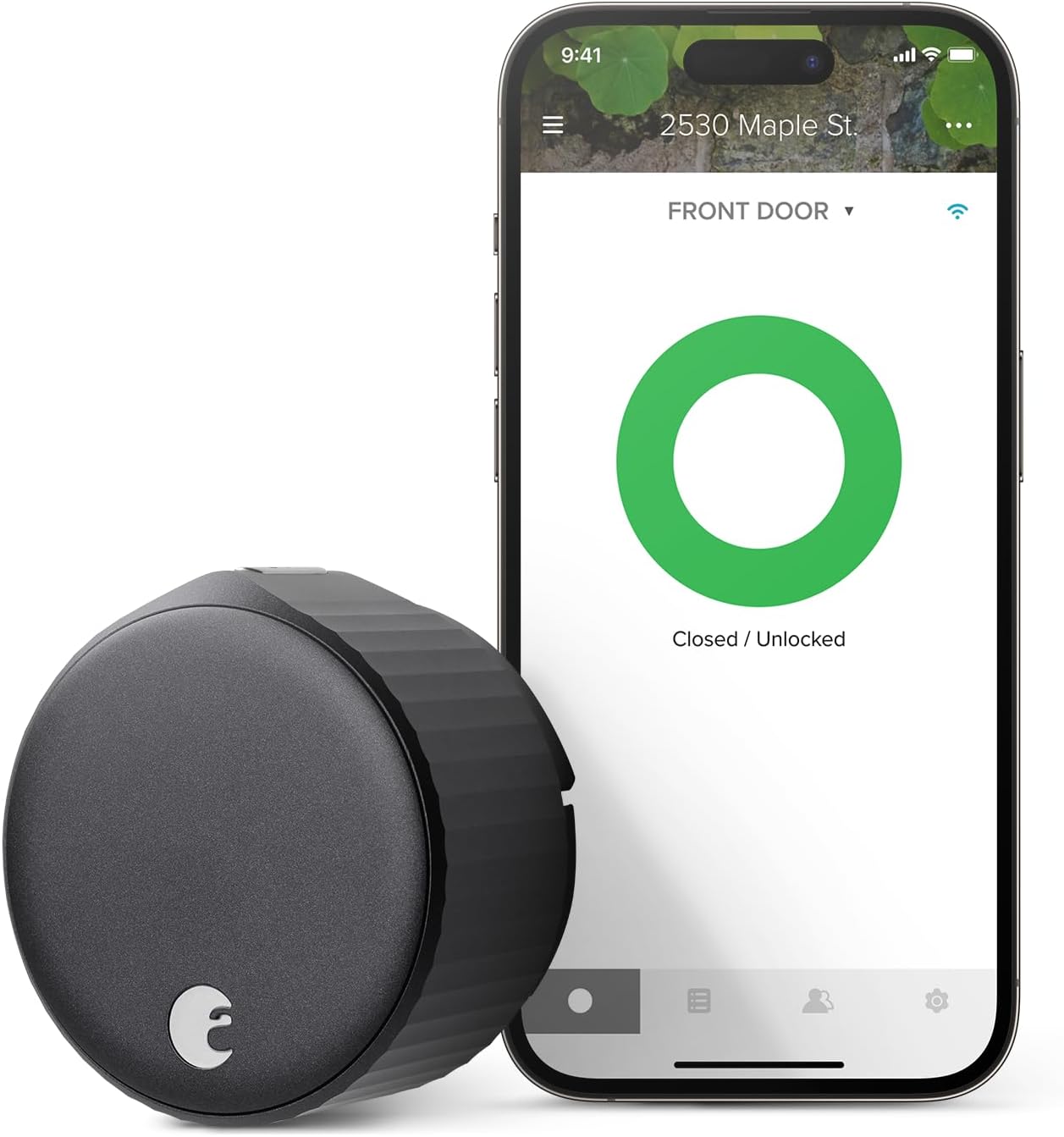
The August Wi-Fi Smart Lock is the one lock on this page I run: the 2nd-generation model is, along with a slew of Hue bulbs, the longest-surviving smart home device I own, and I rated it 3 out of 5. It has stayed connected the entire time, with Bluetooth as a backup for phone control. What I’ve never loved is that it leans mostly on the cloud integration; I’ve since switched to the Bluetooth integration Yale added, which seems good so far, though I haven’t run it for long. The wider picture: August (now Yale-owned) Wi-Fi locks are cloud-dependent for their main integration. The august integration links your August/Yale account, so status and control route through the manufacturer’s cloud, and the lock requires August’s cloud for remote access and many core features. The one local path is the Yale Access Bluetooth integration, which can control some August/Yale locks over BLE locally (using offline keys, often refreshed via the August integration). It works, but it’s BLE-range-limited and finicky to set up. The August-branded Wi-Fi locks do not speak Z-Wave or Zigbee, and there’s no local MQTT path. My bigger complaint is mechanical: Minnesota’s temperature swings make the door and frame expand and contract, and when that happens I can still throw the bolt by hand without much trouble, but the August doesn’t have quite enough torque to manage it, and it lets out an awful screeching sound trying. That will probably push me to replace it before this winter. Yale’s own Assure Lock 2 is a different story: it takes a swappable Z-Wave module, which is the fully-local route above.
The SwitchBot Lock Pro works with Home Assistant but leans on SwitchBot’s cloud (or a SwitchBot hub) for many features. A reasonable middle ground if you accept that.
Use these if you value their convenience features, but don’t expect them to keep automating when your internet is down.
What about Hubitat?
If you’re using Hubitat Elevation, Z-Wave locks integrate well - the same Yale (with its Z-Wave module) and Kwikset SmartCode 914 Z-Wave options apply, with tight local control.
Which lock I would choose for different priorities
If I wanted the least risky recommendation
The pick here is Schlage Encode Plus. It’s the most comfortable “recommend this to normal people” option here.
If I wanted the door on Home Assistant with no cloud in the path
A Nuki matched to my door, or a Yale Assure Lock 2 with the Z-Wave module. Both run entirely offline once joined.
If I lived in Apple Home and wanted Home Key to feel worth it
I would shortlist Schlage Encode Plus and Aqara U100, then choose based on which ecosystem posture I trusted more.
If I cared most about invisible hardware
I would choose the Level Bolt, because that’s the whole point of it.
If I was building a more enthusiast-heavy local stack
I would look harder at Yale Assure Lock 2, but only after deciding exactly how the lock would fit into the rest of the system.
What to avoid
Avoid smart locks that only look good in product pages.
Be suspicious of locks that:
- depend too heavily on cloud accounts for ordinary use
- have unclear local fallback behavior
- bury important compatibility limits behind vague Matter or “works with” claims
- make battery, bridge, or keypad tradeoffs harder to understand than they should be
A front-door lock shouldn’t be treated like a novelty gadget.
Before you buy a smart lock
A few sanity checks save a lot of regret:
- Confirm your door thickness, existing deadbolt prep, and handing.
- Decide whether keypad access is mandatory for your household.
- Decide whether Apple Home, Home Assistant, or a vendor app is the real center of control (my breakdown of smart lock ecosystems compared can help here).
- Check whether you need a border router, hub, or bridge for the features you care about. A Z-Wave deadbolt needs a Z-Wave controller (on Home Assistant, Z-Wave JS plus a Z-Wave stick); a Zigbee lock needs a Zigbee coordinator. There’s no MQTT shortcut around the radio.
- If you hand out guest codes, check that your chosen lock supports adding/removing codes from HA. Z-Wave locks and several Matter locks do; the Keymaster integration helps automate this.
- Make sure the lock would still be acceptable if you stopped caring about the smart part in six months.
If you want more context before committing to a platform-shaped lock decision, read smart home systems that matter and Zigbee vs Z-Wave vs Matter vs Thread, or compare smart locks side by side.