Local-first gear. Honest compatibility. Real homes.
lock
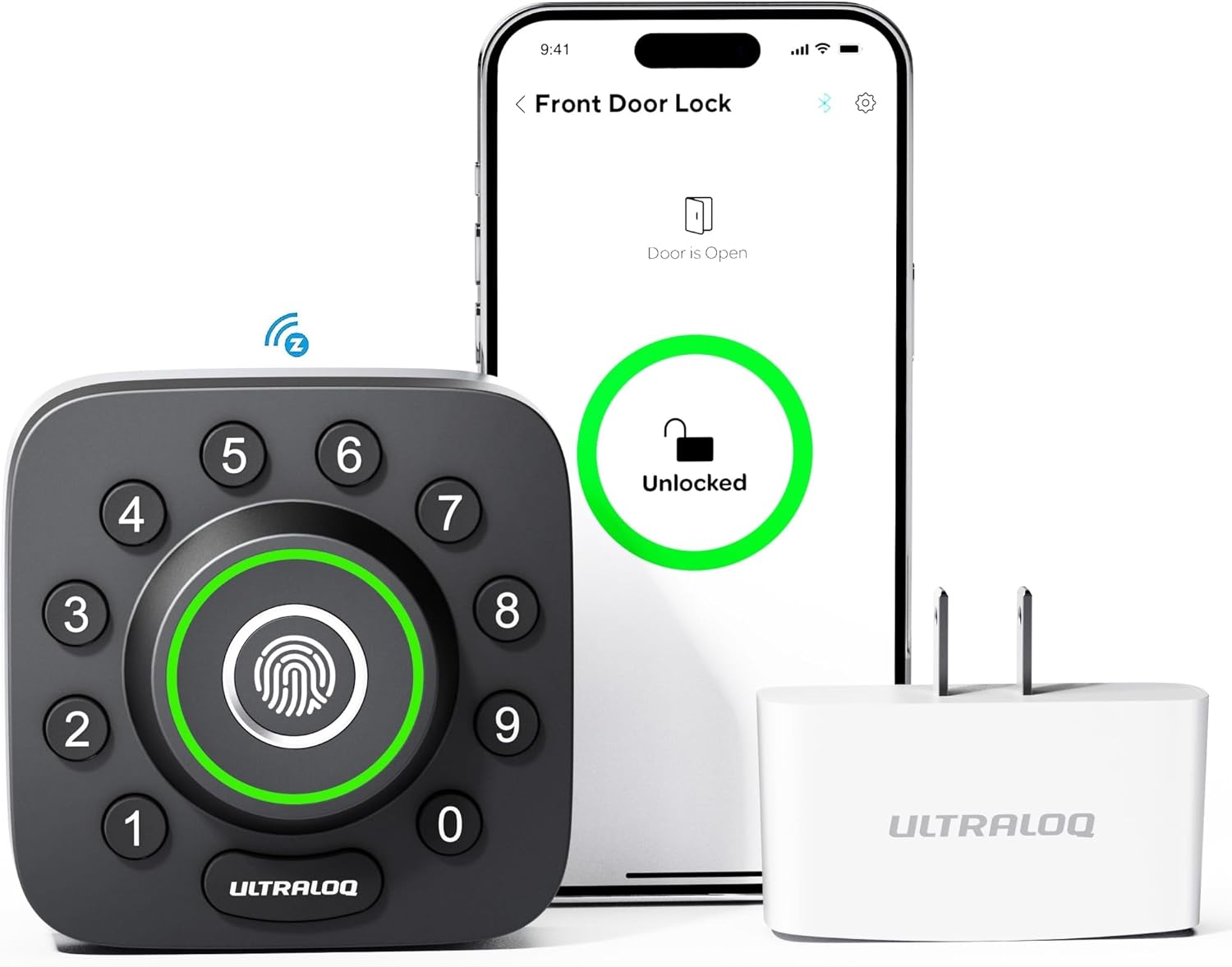
Ultraloq U-Bolt Pro Z-Wave
U-tec
midDiscontinuedlocal: goodLocal control for everyday use; a few features may still touch the cloud.Z-WaveBluetooth
Price
mid bandlast checked Jul 21, 2026
HA fit
●●●●●good
Works offline
yes
Setup
moderate
Hub needed
yes
Discontinued. The manufacturer no longer sells this one new, so a retailer link here can land on remaining stock, a used or refurbished unit, or a successor model - check what the listing is before buying.
Affiliate link - I may earn a commission at no extra cost to you. As an Amazon Associate I earn from qualifying purchases; some links go to other retailers with the same arrangement.
Quick verdict
The Ultraloq U-Bolt Pro Z-Wave packs five unlock methods into a surprisingly compact design. Z-Wave gives you fully local Home Assistant control via Z-Wave JS, while the fingerprint reader handles day-to-day entry. You'll need a Z-Wave controller, but once set up, it's one of the most versatile smart locks available for local-first setups. Availability is the catch: U-tec no longer lists it on its own storefront, so treat it as remaining-stock only.
Standout: Five unlock methods in one lock - fingerprint, keypad, Bluetooth, Z-Wave, and physical key.
Notes last checked Jul 21, 2026.
Compatibility snapshot
Home AssistantgoodReliable local integration with minor caveats (a hub, manual config, or polling). Core function works locally.
Apple HomenoneNo official support on this platform.
Google HomenoneNo official support on this platform.
AlexanoneNo official support on this platform.
Works offlineyes
Setupmoderate
Extra hub neededyes
Powerbattery
Local control facts
Home Assistant: zwave_js integration, Local Push (home-assistant.io, checked Sep 10, 2026)
you want Matter or Thread support for future-proofing
Privacy and local-control notes
Z-Wave control is fully local through Home Assistant. Bluetooth is device-to-device. The U-tec app uses cloud for remote access, but Z-Wave operation needs no cloud. Fingerprint data stored locally on the lock.
Home Assistant support: supported · integration path: zwave_js.
Buying reality check
Price notes: Mid-range for a multi-method smart lock. Good value given the feature set.
A practical local-first shortlist of Z-Wave devices that integrate cleanly with Home Assistant: picks for sensors, switches, climate, locks, and water valves.